Plan projects. Organize daily work. Understand time and costs.
Project Management Software in Saudi Arabia, Connected to Real Work
Project management shouldn’t create a second layer of administration on top of the work people already do.
TaskBrowse brings project planning, day-to-day tasks, time recording, and project cost information into one connected workspace. Teams can work with greater clarity, while managers can make decisions informed by what is actually happening. Designed for project-driven organizations, TaskBrowse is available in English and Arabic.
- Plan
- Execute
- Record
- Understand
- Improve
Project Management Should Be Part of the Work
A project plan is useful only when it remains connected to execution.
In many organizations, project plans, daily task lists, timesheets, and management reports are maintained separately. Team members do the work, then spend additional time explaining or reconstructing what happened for reporting purposes.
This separation creates unnecessary effort—and can make it harder to understand the actual state of a project.
TaskBrowse provides a connected environment where project structures, individual tasks, schedules, and recorded working time can be understood together.
The objective is simple: make project management useful to the people performing the work, not just the people reviewing its progress.
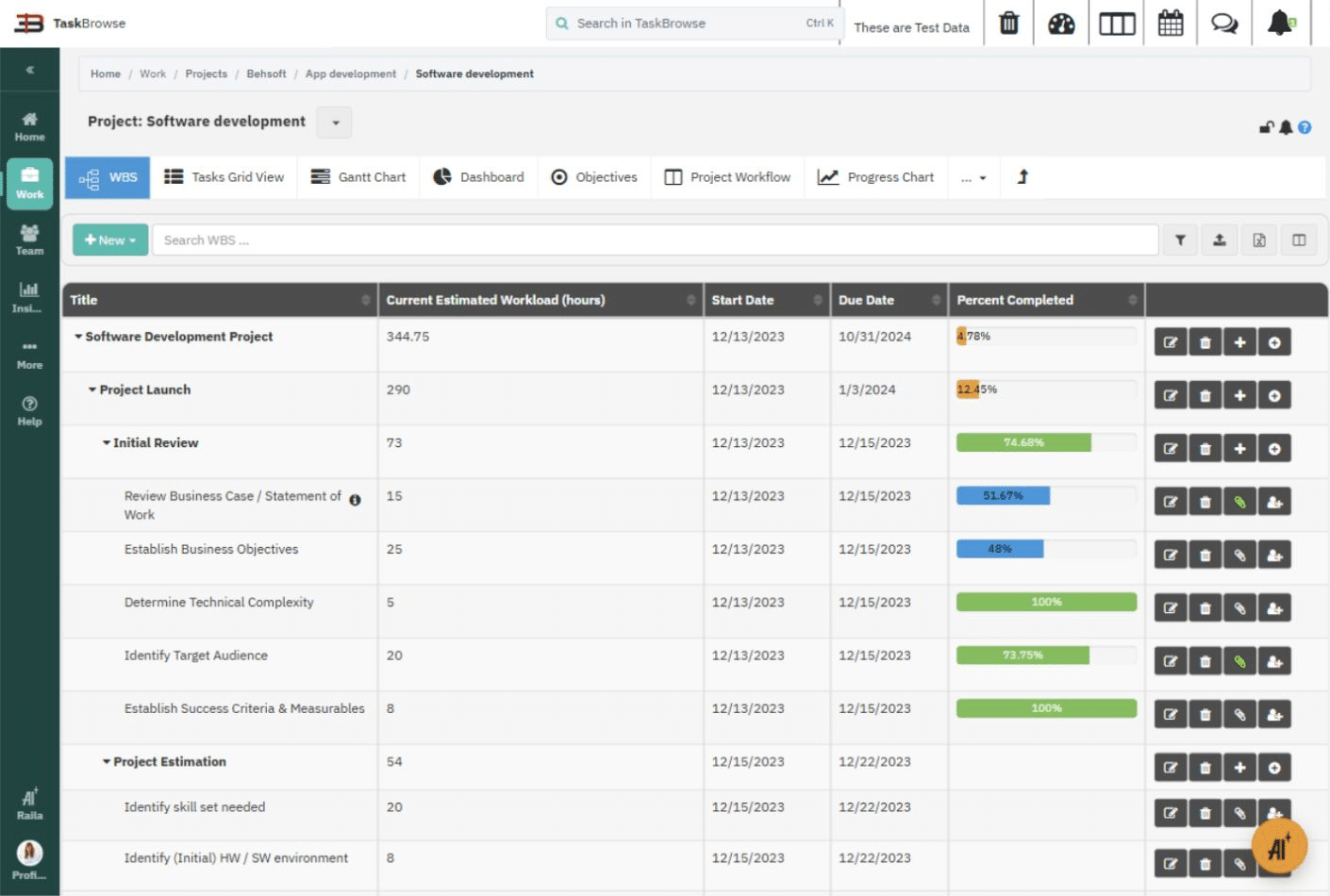
Structure projects without losing sight of daily execution
Organize work through project hierarchies and work breakdown structures. Define tasks, estimate workloads, manage schedules, and monitor progress.
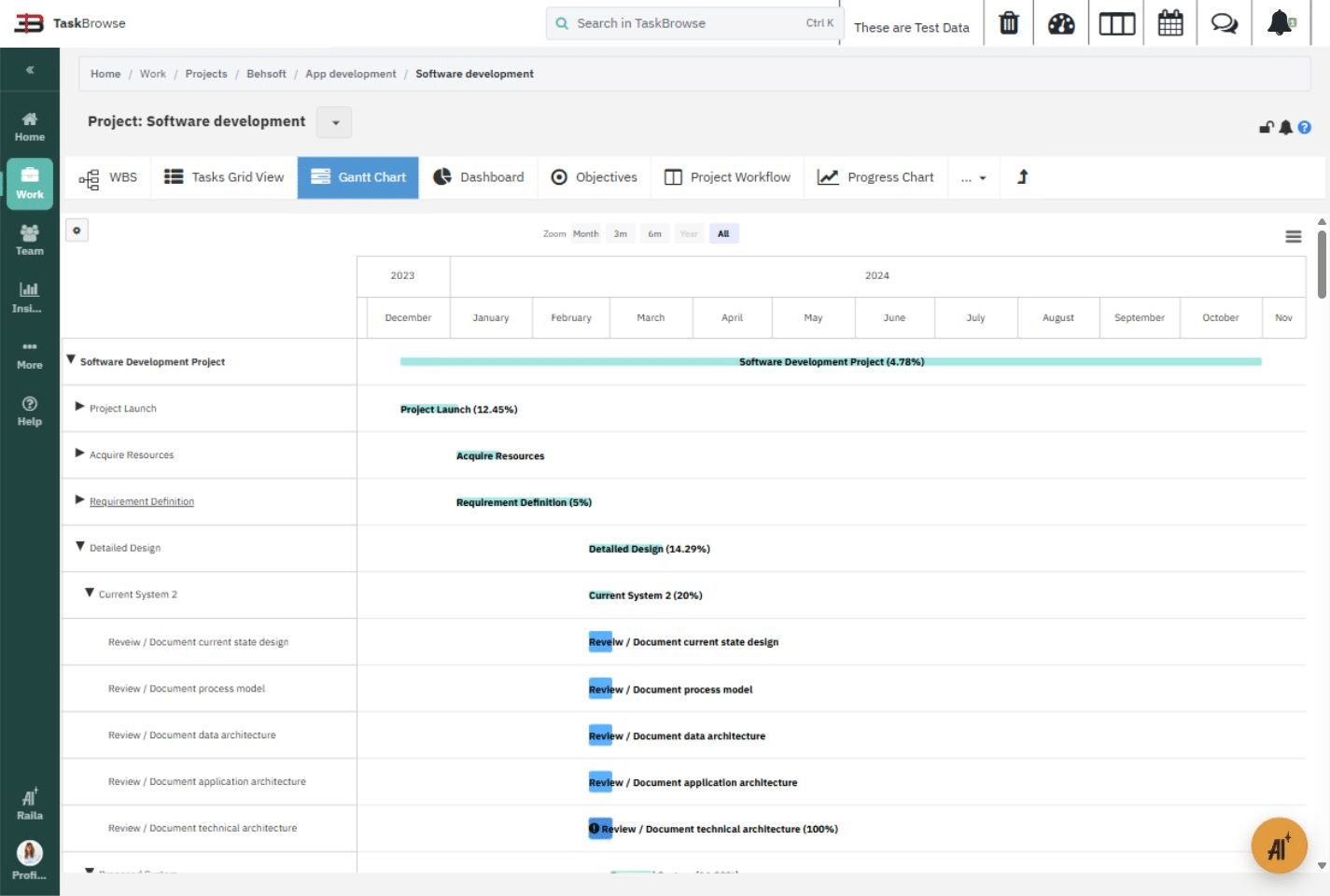
Use Gantt charts to see project activities across time, so teams and managers can understand how work fits into the broader plan.
From Project Plans to Everyday Tasks
A good project plan needs a practical connection to what people do today.
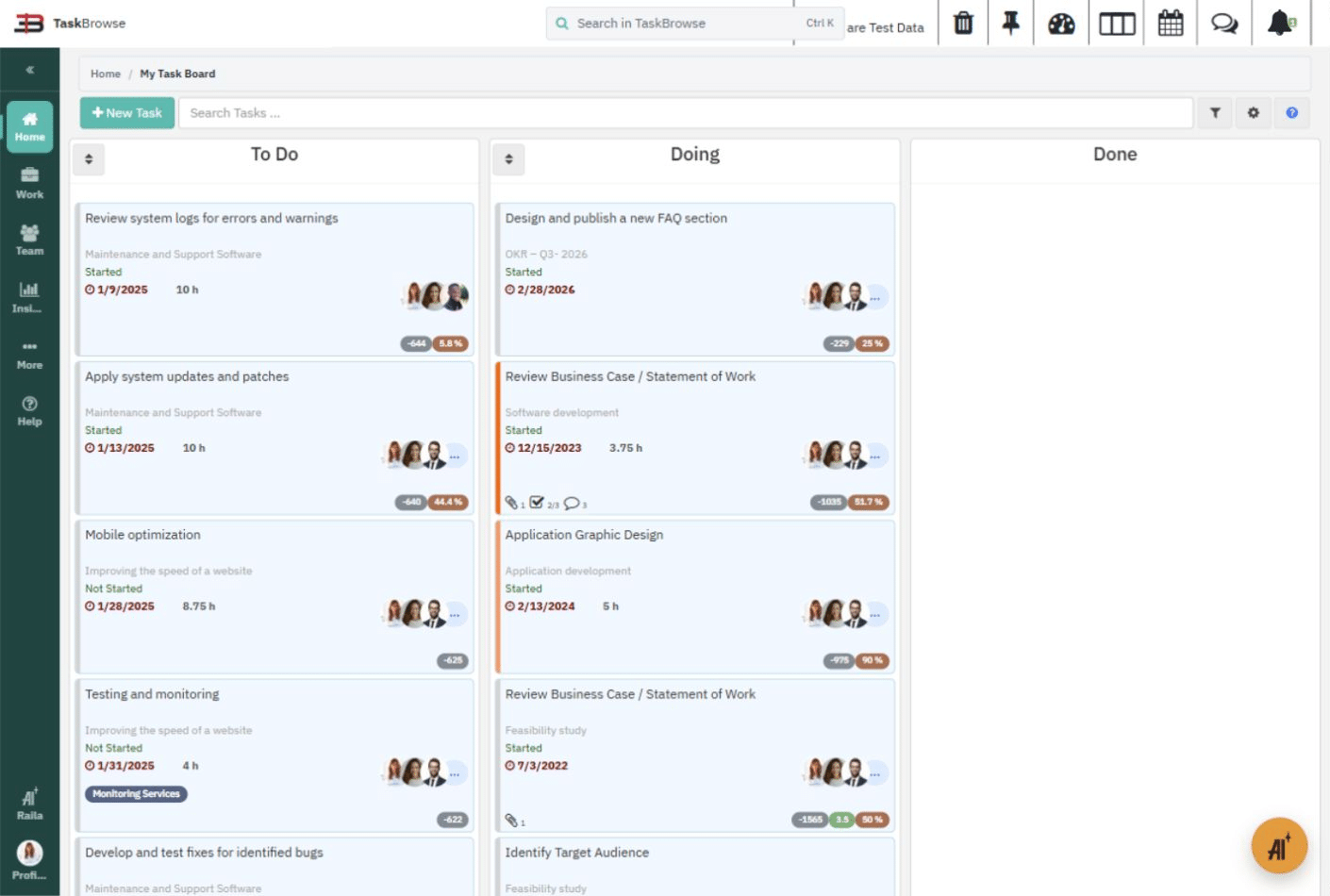
TaskBrowse brings project-related tasks into personal work views, helping team members see their responsibilities and keep track of work in progress. Instead of treating project management as something updated only before a meeting, teams can use the application as part of their regular working routine.
What this means in practice
- Managers can organize work into projects, phases, and tasks.
- Team members can access their assigned activities through daily work views.
- Progress and work information remain associated with the underlying tasks and projects.
- Teams have a more consistent basis for discussing what is planned, underway, or completed.
The emphasis is not on filling in a project management system. It is on using project information to support the work itself.
Time Tracking Should Create Understanding, Not Micromanagement
Time is one of an organization’s most important resources. But knowing that someone worked eight hours does not tell us whether those hours were spent meaningfully, efficiently, or on the right priorities.
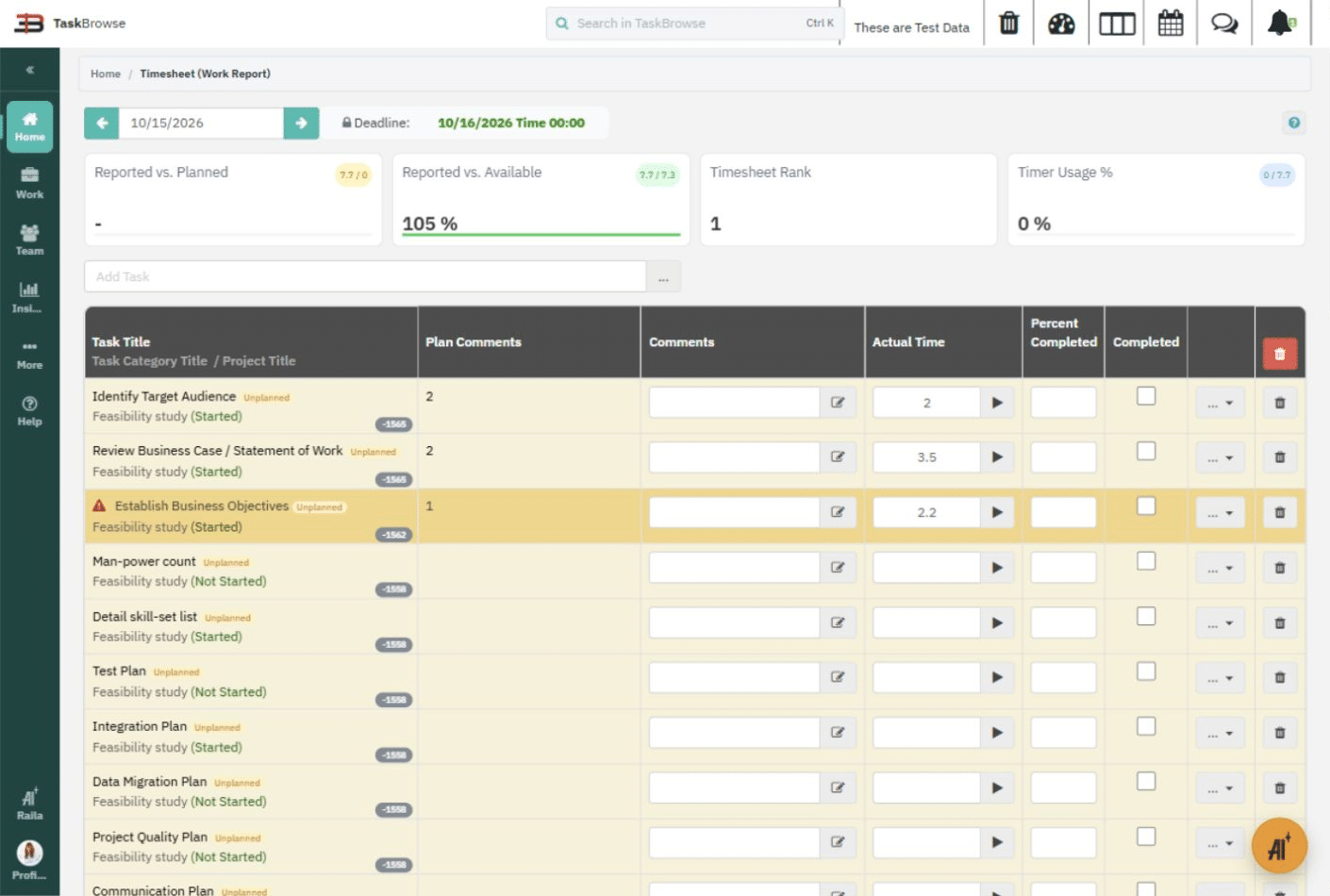
TaskBrowse allows working time to be recorded against the tasks and projects to which it belongs. This provides useful information for understanding actual project effort, comparing estimates with recorded activity, and reviewing how working time is distributed.
We believe time tracking should be approached as a feedback mechanism—not simply a way to monitor employees. For individuals, recorded time can provide an opportunity to reflect on the demands of daily work. For managers, it can help identify planning gaps, recurring workload pressures, and areas that deserve attention.
Hours are information, not a complete measure of someone’s performance.
TaskBrowse’s timesheets help document actual work. How organizations use that information—and how they respect employees’ autonomy—remains an important management responsibility.
Reports Should Help Improve Work
Reports are most valuable when they contribute to the next decision.
A status report that merely repeats outdated information may satisfy a reporting obligation without helping the team change anything.
TaskBrowse provides project reporting and analysis capabilities that allow organizations to examine recorded work, progress, time, and cost information.
Managers can use that information to ask practical questions:
- Are projects consuming more time than expected?
- Where is workload concentrated?
- Which activities are driving project costs?
- What should be reconsidered in the next planning cycle?
Reports cannot make decisions by themselves. Their value comes from helping people ask better questions and respond to what they learn.
Understand Project Costs Alongside Actual Work
Two employees may need different amounts of time to deliver equivalent results. Their hourly costs may also differ. That is why working hours alone do not provide a complete picture of project economics.
TaskBrowse supports project cost reporting, including views of recorded time, wage-related costs, other project costs, and budget information where configured. This helps managers examine the relationship between the work performed and the resources consumed.
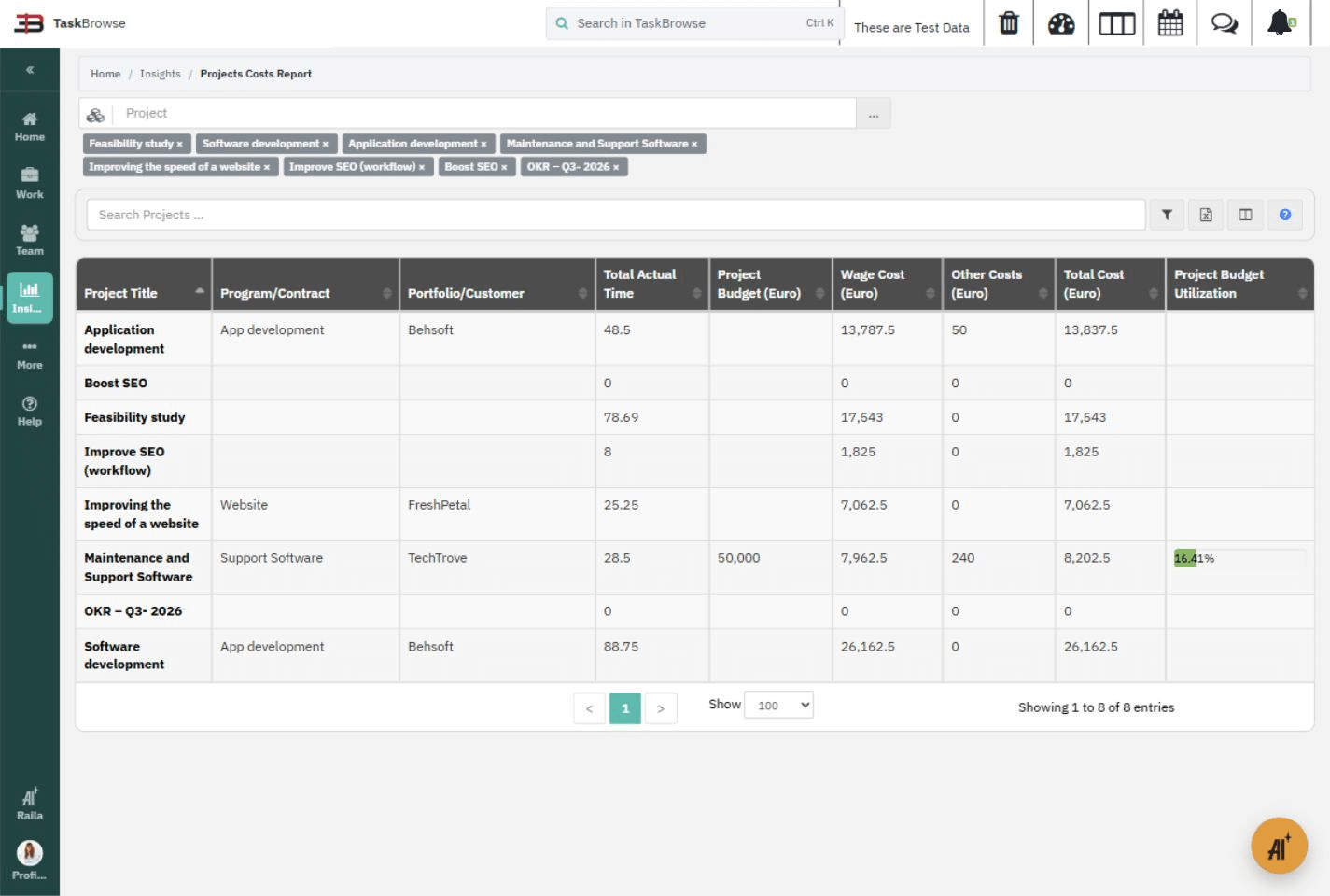
Rather than treating time tracking and cost management as unrelated activities, TaskBrowse makes it possible to review them as connected aspects of project execution.
The purpose is not to rank people by hours. It is to make project costs more understandable and support informed management decisions.
Ask Raila About Your Project Information
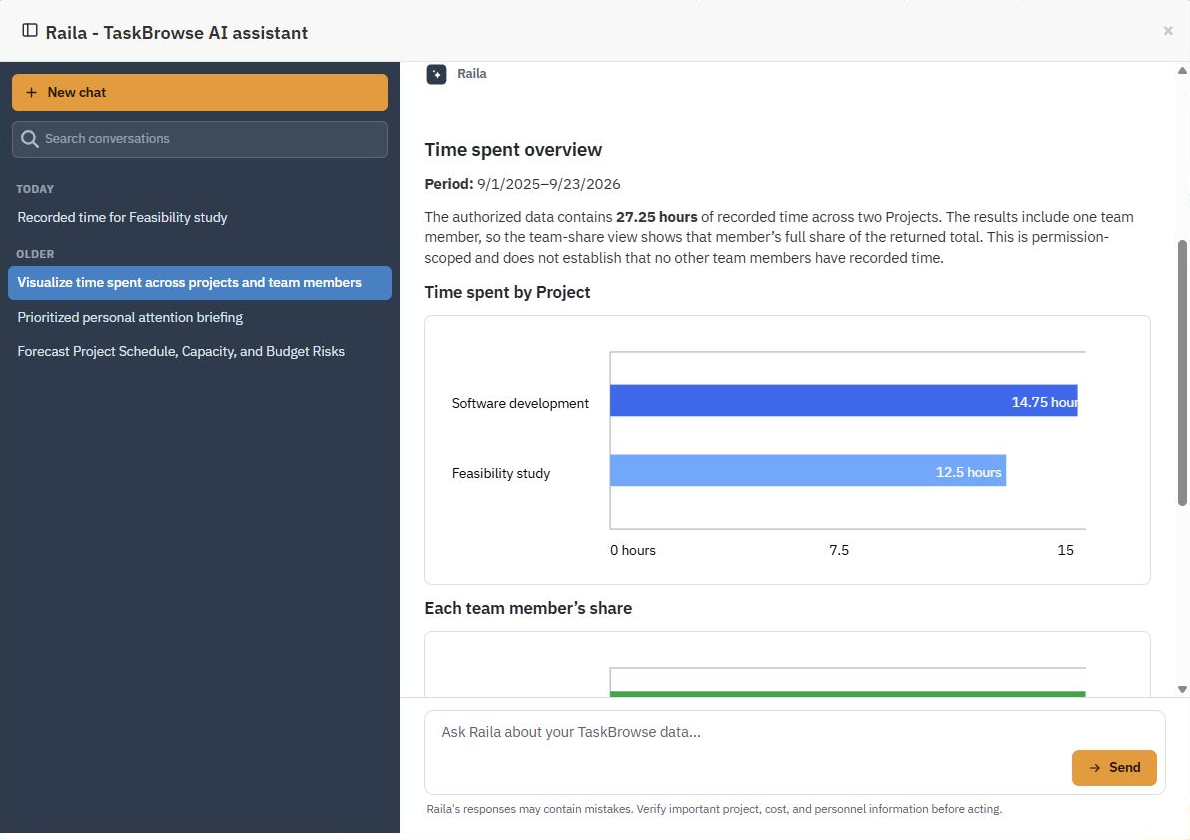
Raila is TaskBrowse’s AI assistant. Instead of requiring users to inspect every report manually, Raila can help them explore supported TaskBrowse information through natural-language questions.
For example, Raila can present a summary of recorded time across projects and visualize comparisons based on the information available to the user.
AI-generated results should be reviewed before important decisions, especially when financial or personnel information is involved. Raila is intended to assist understanding—not replace managerial judgment.
Work in English or Arabic
Saudi organizations often include employees with different language preferences.
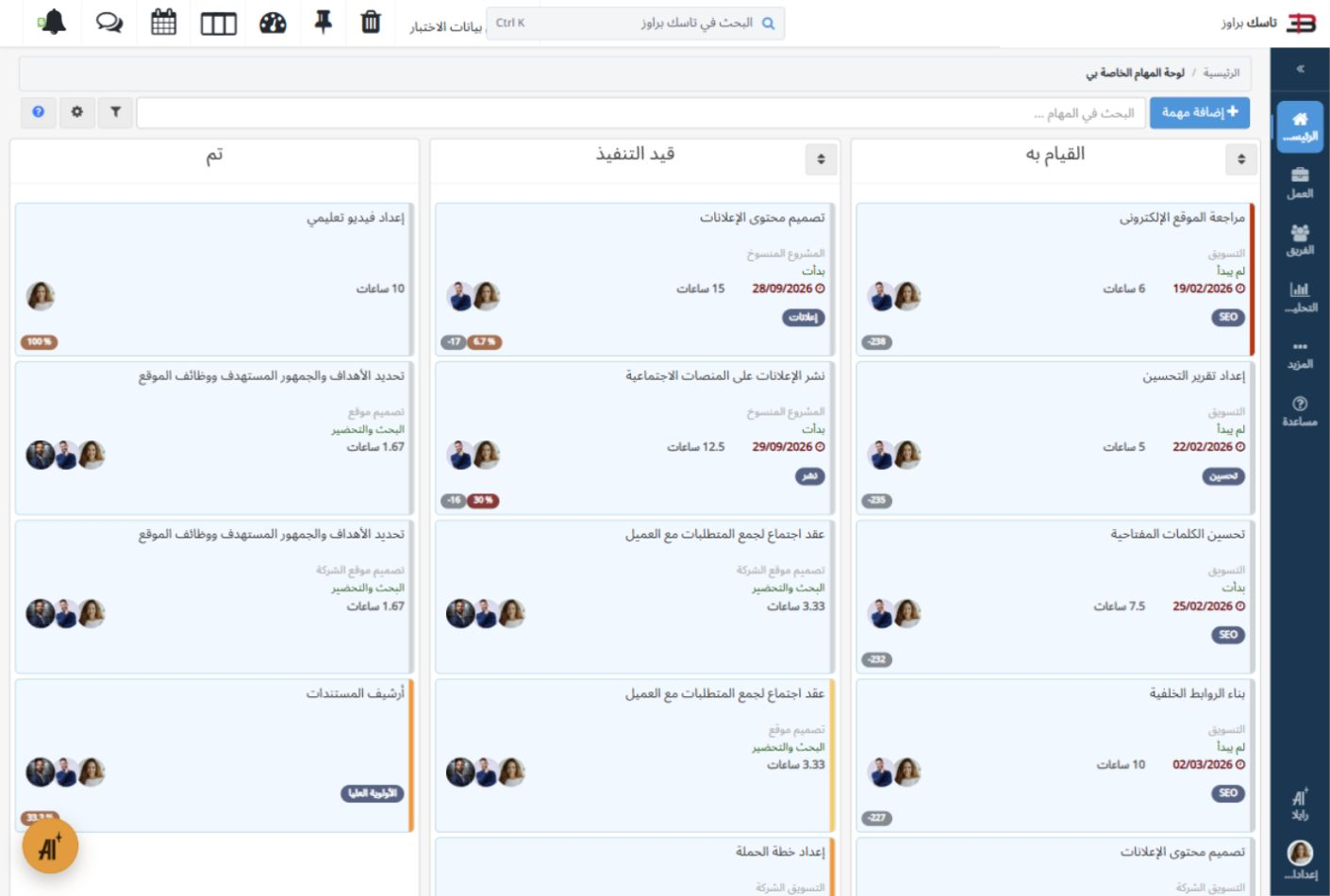
TaskBrowse supports English and Arabic interfaces, including right-to-left presentation in its Arabic work views. This allows organizations to introduce project-management practices without requiring every team member to use the same interface language.
Language support is only one part of successful adoption. Clear processes, appropriate training, and everyday usefulness are equally important.
Built for Project-Driven Teams
TaskBrowse may be particularly relevant to organizations where work is structured around clients, projects, assignments, or defined deliverables.
Consulting and professional services
Connect client assignments with tasks, recorded working time, and project cost information.
IT and software teams
Organize project phases, development tasks, estimates, schedules, and execution progress.
Engineering and technical services
Structure deliverables and project activities while keeping schedules, resource effort, and costs visible.
Growing business teams
Create a more consistent connection between individual responsibilities and wider project objectives.
TaskBrowse is not limited to these industries. The best fit depends on how your organization plans, performs, and measures its work.
What You Can Examine in a Guided Demo
A guided demonstration is a practical way to assess whether TaskBrowse suits how your organization plans and performs project work. Depending on your needs, the discussion can cover:
- How your projects could be organized into phases and tasks, with WBS and Gantt views.
- How assigned work appears in daily task views for team members.
- How working time is recorded against tasks and projects, and compared with estimates.
- How wage costs, other costs, and budget information can be reviewed where rate and cost data are configured.
- How Raila works with the information available to a user, and how permissions affect it.
- How the English and Arabic interfaces would work for your teams.
- Your technical, procurement, data-protection, and deployment questions.
Bring a typical project workflow from your organization so the demonstration can follow work you recognize.
Frequently Asked Questions
Is TaskBrowse available in Arabic?
Yes. TaskBrowse offers English and Arabic interfaces, including right-to-left presentation in supported Arabic views.
Can TaskBrowse manage more than simple task lists?
Yes. TaskBrowse includes structured project planning, work breakdown structures, Gantt views, task management, timesheets, and project reporting capabilities.
Can employees record time against individual projects and tasks?
Yes. TaskBrowse provides timesheet functionality that associates recorded working time with project-related activities.
Can we review project costs?
TaskBrowse includes project cost reporting features. Available calculations and reports depend on how relevant project, rate, and cost information is configured.
Does TaskBrowse include AI?
Yes. Raila is TaskBrowse’s AI assistant and can help users explore supported project and work information. Available functions depend on the application configuration and user permissions.
Can TaskBrowse be used by organizations in Saudi Arabia?
TaskBrowse is accessible as a software product, but organizations should assess their own technical, procurement, data-protection, and deployment requirements before adoption. Contact us to discuss the relevant configuration and options.
How can we evaluate TaskBrowse?
Request a guided demonstration to discuss your project workflows and assess whether TaskBrowse is a suitable fit for your team.
See How TaskBrowse Could Work for Your Organization
A project management system should help people do their work—not create unnecessary work about their work.
If your organization is looking for a clearer relationship between project plans, day-to-day execution, recorded working time, and project costs, we would be pleased to demonstrate TaskBrowse using a realistic example.
Product screenshots use demonstration data. Displayed figures, dates, project names, and currencies are illustrative and do not represent Saudi customer deployments.