At TaskBrowse, we always prioritize our customers’ feedback—continuously integrating their needs and suggestions into the development of our project management platform. Read on to discover what’s new in this update, and feel free to share your valuable feedback with us.
Total Actual Time in Project Costs Report
In TaskBrowse, you can define a budget for each project. By logging timesheets and setting User Costs, wage costs are calculated automatically. You can also register other costs per task to ensure full cost transparency.
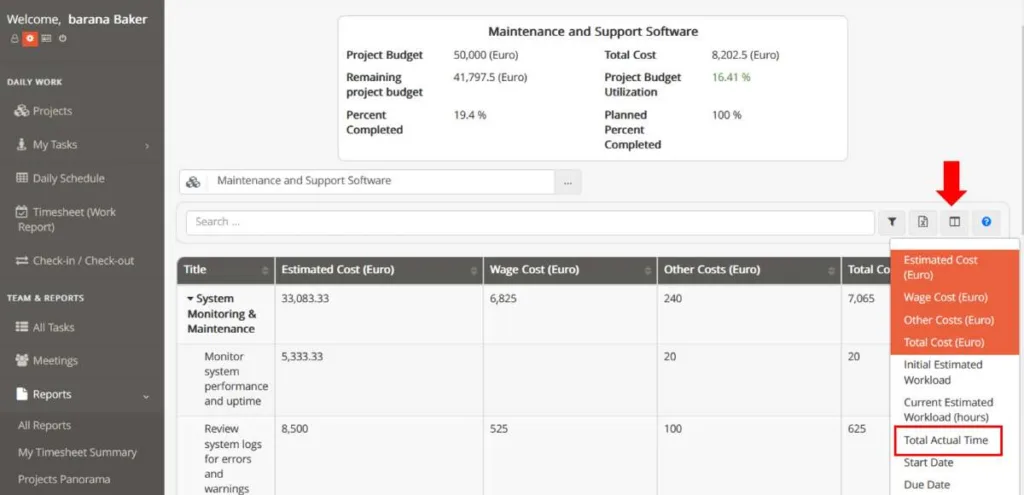
Project Costs Report already displays budget and cost data.
Now, with the show/hide columns feature, you can add the Total Actual Time column and compare:
- Estimated Cost
- Wage Cost
- Other Costs
- Actual Time
This allows you to monitor time and costs together and quickly identify deviations.
Financial & Cost Data in Portfolio Progress Report
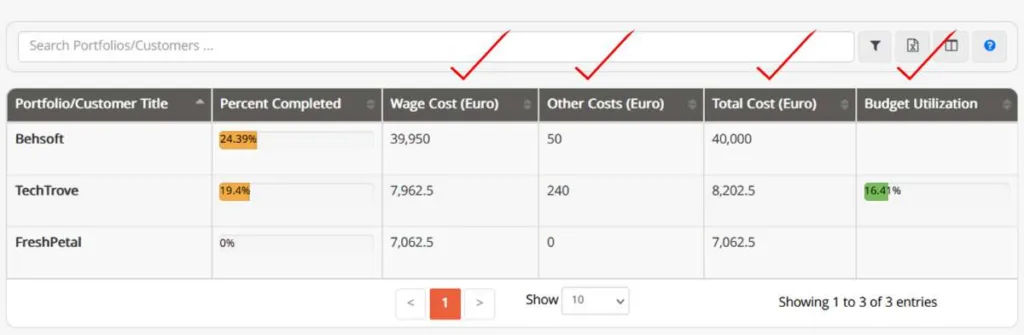
Portfolio Progress Report now provide more than just Percent Completed. They also deliver a complete financial overview across projects, including:
- Wage Cost
- Other Costs
- Total Cost
- Budget Utilization (%)
This allows you to monitor progress and spending simultaneously and detect financial risks earlier.
Note:
Set each project’s weight via:
Edit Project → Extra
Financial Indicators in programs/Contracts Progress Report
Programs/Contracts Progress Report now includes key financial metrics alongside progress data, giving you clearer insight into overall performance and budget usage.
Added information includes:
- Wage Cost
- Other Costs
- Total Cost
- Budget Utilization (%)
This helps you quickly determine whether contracts are on budget and identify areas that require corrective action.
Access path:
Reports → All Reports → Projects & Tasks Reports → programs/Contracts Progress Report
Faster Registration of Other Costs
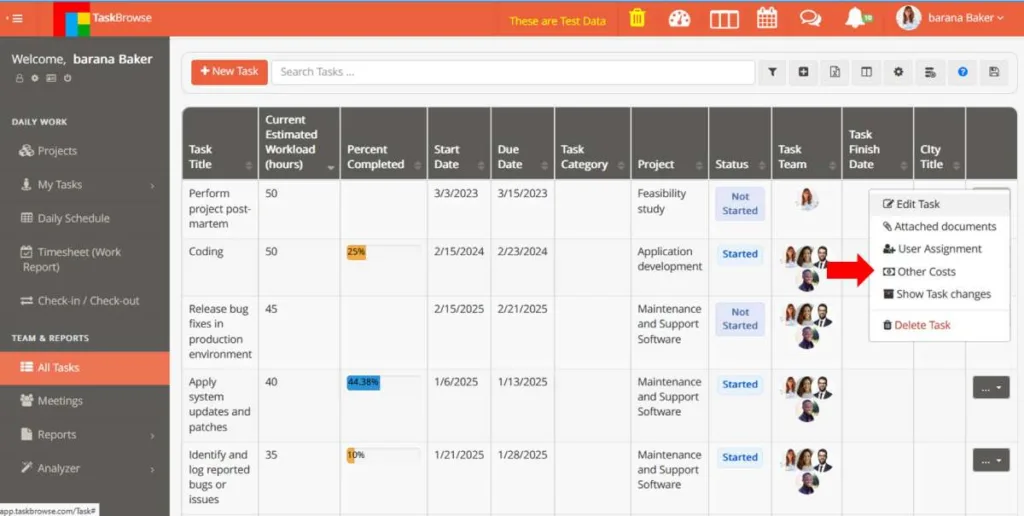
Registering non-wage expenses is now quicker and easier. Previously, you had to open each task’s details to add other costs.
Now, the Other Costs menu is directly accessible from the All Tasks table, reducing clicks and speeding up data entry.